
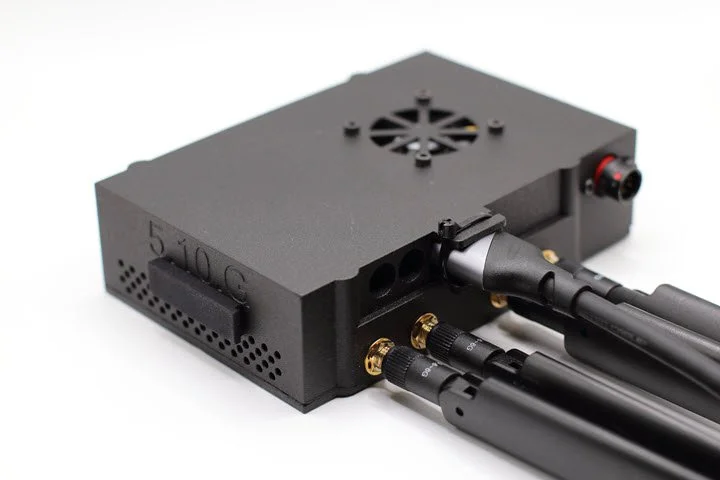
 Image 1 of 2
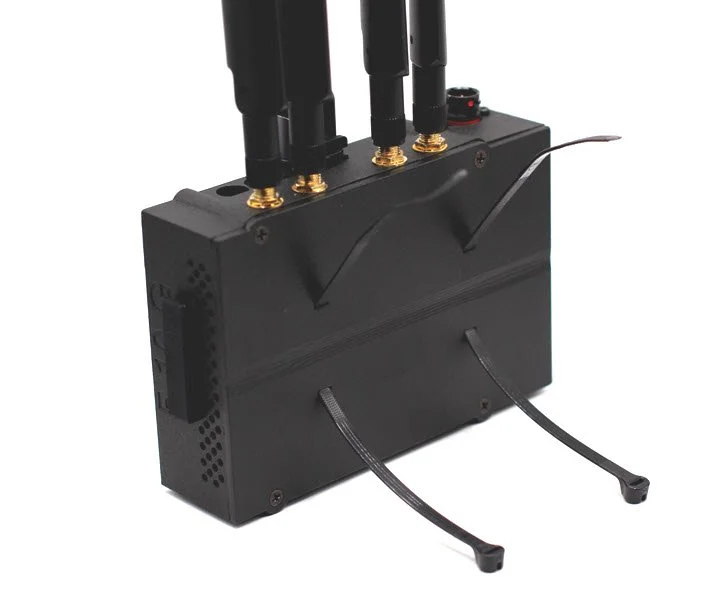 Image 2 of 2
ACCESSORIES
-
You can use the following HDMI CAMERAS with the HDT|PRO:
* VBOX HD2 HDMI OUTPUT [Scroll Down to View]
* GoPro HERO 7 or Less has an HDMI output [Scroll Down to View]
* GoPro HERO 8 or Greater needs a GoPro MEDIA MOD for HDMI output
ADD the 510 Camera if you do not have an onboard camera with a HDMI Output. Audio and Power cable included.
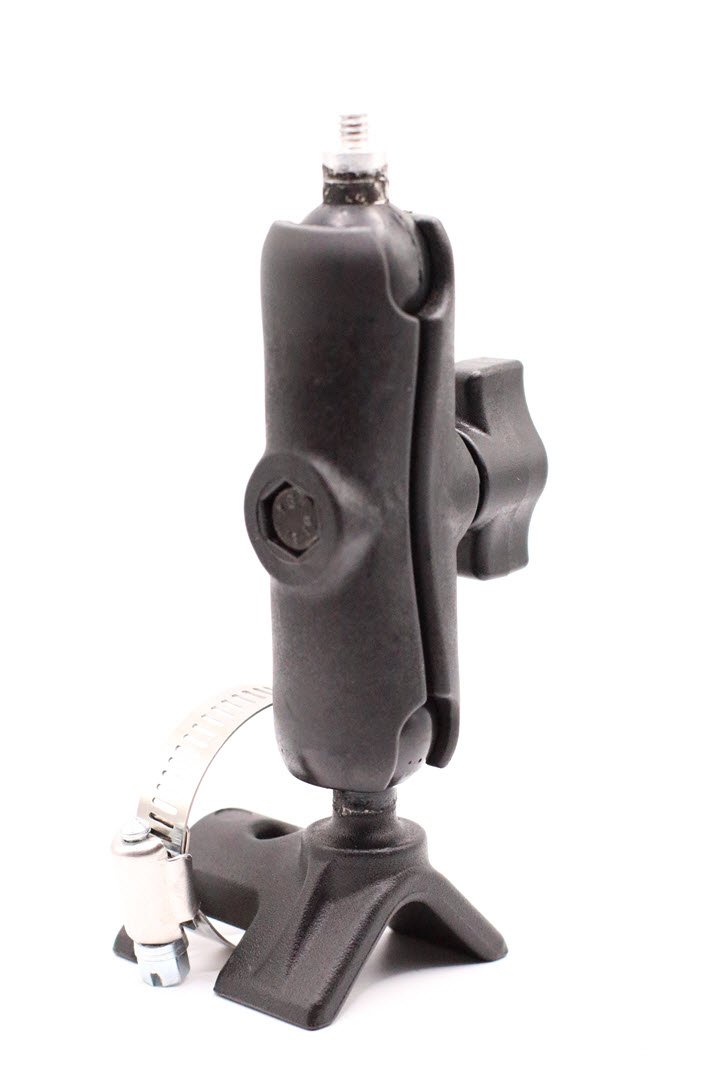
ADD the Camera Roll Bar mount with the 510 Camera. Securely mount the 510 camera to your vehicle roll bar or any fixed location.
ADD the HDMI VBOX | 510 Camera Cable to connect the HDMI cameras to the HDT|PRO.
ADD the HDMI GoPro Cable if you want to use the GoPro. It connects the HDT|PRO and the GoPro HDMI ports.
CLICK on [Quick View] to add accessories


-
ADD the #1 Mohawk Antenna if you're looking for a lightweight, aerodynamic, cellular antenna. The Mohawk connects to the HDT|PRO #1 antenna port. You'll need a second Mohawk or #2 Blade antenna for the HDT|PRO #2 antenna port. Ideally, mount it high and in free air away from ferrous items. The Mohawk is 3" high; ensure it fits your trailer when loading.
ADD the #1 Salt and Pepper Antenna if you want some flavor. The SP connects to the HDT|PRO #1 antenna port. You'll need a second SP or #2 Blade antenna for the HDT|PRO #2 antenna port. Ideally, mount it high and in free air away from ferrous items. The SP is 3" high; ensure it fits your trailer when loading.
ADD the #2 Blade Antenna with one of the two #1 antennas above. The Blade connects to the HDT|PRO #2 antenna port. Mount the Blade high, under a window, or on a flat surface facing the sky. Make sure the window does NOT have any heating elements.
ADD the Dual Antenna if roof space is limited or not available. The Dual antenna connects to the #1 and #2 HDT|PRO antenna ports. Mount the Dual high, under a window, or on a flat surface facing the sky. Make sure the window does NOT have any heating elements.
*You can always use two Mohawk or two Salt and Pepper Antennas for the best cellular coverage.
CLICK on [Quick View] to add accessories


-
ADD the Power Cable to wire the HDT|PRO to your vehicle's auxiliary power connection. One side connects to the HDT|PRO, and the other is un-terminated. You need to add the mating connection.
ADD the VBOX Power Cable if you use the VBOX camera system. The VBOX camera cable connects directly to your VBOX power port. The VBOX acquires its power from the CAN/SER port and passes it through to the power port.
ADD the Cigarette Power Cable if you want a quick and easy way to install the HDT|PRO into your vehicle that still has a cigarette lighter.
ADD the Battery Pack If you require a drop-in power source for the HDT|PRO. A fully charged battery should last 2 hours. You must add a Power Cable to connect from the HDT|PRO to the battery or terminate the battery with the HDT|PRO mating connection.
CLICK on [Quick View] to add accessories


-
ADD Telemetry. Enable the transmission of live data viewed in real time. If you ADD Telemetry, you must receive the Telemetry. ADD a LWT|PRO to receive the Telemetry in the pit lane or remote location. Add the PLT to the order to receive Telemetry and streaming video. Navigate to Telemetry Systems | LWT|PRO or PLT and ADD to the order.
The Primary and Backup Data Service is a subscription service. It has a separate checkout when adding to the cart. Make sure to check out all your 510 products first, then do a separate check out for the Primary and Back up data service
ADD the Primary Data Service. The Primary Data Service is an annual subscription-managed data service required for the 510 products. All 510 units use the primary data service to connect to the internet when 1st powered up. SIM card 1
ADD the Backup Data Service. The Backup Data Service is an annual subscription-managed service recommended for the 510 products. When the primary data service struggles to connect to the internet, the 510 system can fail over to the backup service. Sim card 2
CLICK on [Quick View] to add accessories


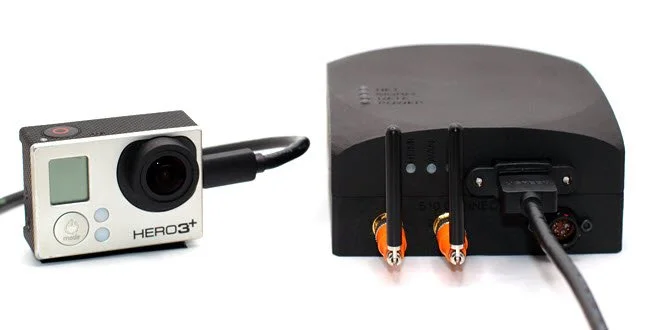


VBOX | 510 Streaming System Example
The 510 CAMERA works seamlessly with the 510 Streaming System, offering easy connection with HDMI and SDI outputs. It comes with all the necessary cables for simple installation. You can enhance your live streams with high-quality visuals and audio using the camera's 3G/HDSDI and HDMI outputs. It's versatile and suitable for different uses like broadcast productions and live Motorsport events. The camera has a durable design that ensures great performance and allows both beginners and professionals to capture Full-HD 1920x1080p video at up to 60 fps. Whether you're filming Motorsports or racing content, the 510 CAMERA is essential for creating high-quality streams. Choose the 510 CAMERA to elevate your streaming experience and discover endless possibilities.
HDT|SDI|PRO shown not included.